From the Terminal
The Joy in Building
The last year in software engineering has been transformative and that is understating the obvious. After spending 23 years of my life coding about this time last year I started to play around with using language models to code. Before that my attempts at coding with them left me bewildered and frankly dismissive. I was not against AI at the time or anything like that. I had even played with Stable Diffusion locally for image generation in years past however for code I found the results not great.
All that changed last summer. I had started a new role on the security team at work and while that sounds glamorous I was effectively doing a mix of intrusion detection, basic IT work, vulnerability scanning, and Staff engineering that was more or less just IT work with a DevOps twist. Sure I had to merge my changes into Terraform but ultimately I was simply gluing different systems together to make sure our auth worked properly for everyone and hey when nothing wrong is happening everyone just kind of dismisses those of us doing IT work so the role was relatively chill and uneventful. But then we started a new project to improve the inventory of our hardware.
Work already had a Go repo for this type of stuff so it was easy for me to start from that and just add another binary. From there I went at it. At first I was using Github Copilot built into VSCode and this was before all the rate limits when copilot had extremely generous allowances. I ended up, in only two days mind you, building the systemd service of my dreams to do a full inventory of a machine. And these are workstations. I was able to get basically everything. What browsers are installed, what extensions are being used, whether your SSH keys are password protected, etc. It was honestly eye opening how quickly I was able to build it. I showed my team and everyone was into it but at the same time it was yet another thing to maintain so we ultimately went with an actual vendor for a new solution called Kolide but the writing was on the wall. Still this was early in the corporate world for this stuff and I ended up basically downplaying it overall.
After that at work I got a new role on the SRE team - and then it fell into my lap. My dream project. They had converted to Ubuntu after using CentOS for over a decade and needed to make their build matrix automatically build not just for 22.04 but also for 24.04 and if possible also ARM64. AI immediately became quickly useful. Not just for writing out code but generally for gathering information on why something failed. Going from one suite to another there's a ton of defaults that change in the build pipeline. Many of the packages that were previously built for only 22.04 by someone inexperienced in build architecture were done in a way that would break with time so a lot of the time packages were just broken when I got to them. None of this is anyone's fault either. Git repos get moved around and suddenly your stable build from 2020 is broken. Then you still need to build that 2020 git repo but you don't even have it mirrored so you're applying a patch on the fly. And so on. The reality is yes before AI we figured this stuff out. The issue is that the feedback context switching loop was way larger. It took time to see the log dump or even parse it manually. Now a language model can parse it for you and then come up with a solution in a single prompt.
In the Before Times: 2023
So let's talk the closed loop reality of development versus the before times. The debugging cycle for tech people used to look like this. You try something, wait for it to run, see it fail, try again.
The reality of that was really that well it sucked. It sucked a lot. I'm not saying I didn't have fun. I did. Sometimes. Maybe? Well sure sure I did - right... Yea. But what I don't miss is being stuck on so many problems and searching tiny nooks and crannies of the internets in an attempt to figure out how to configure a particular Webpack plugin. Worst yet, have you ever wanted to condense an idea for an open source project into reality but realized you simply did not have time to do it? I think the harsh truth of the matter is for every idea I ever had in the coding world I'd only really had time to implement maybe one one-thousandth of the breadth of what I could think of. The reality of it is that I had been in so many weird tech niches at this point in my tech life that it got annoying. How many times can you configure code coverage reports before you feel like you're pushing TPS reports? Best practices are awesome but it becomes rote and boring. You can become excited about doing things right and then it just becomes standard operating procedure.
Being valuable in tech in the business world is more or less about solving problems. I'd work on passion projects all the time if could. But let me give you a little bit of what that looks like.

At one point in my life this was my office. I got to work on such glamorous projects as hosting an 80 person Counter-Strike tournament. I spent my weekends hanging out / working. I was doing things like putting together small bat scripts to push CD keys to the Windows registry on machines from the front desk when Steam didn't even have a LAN Center program.
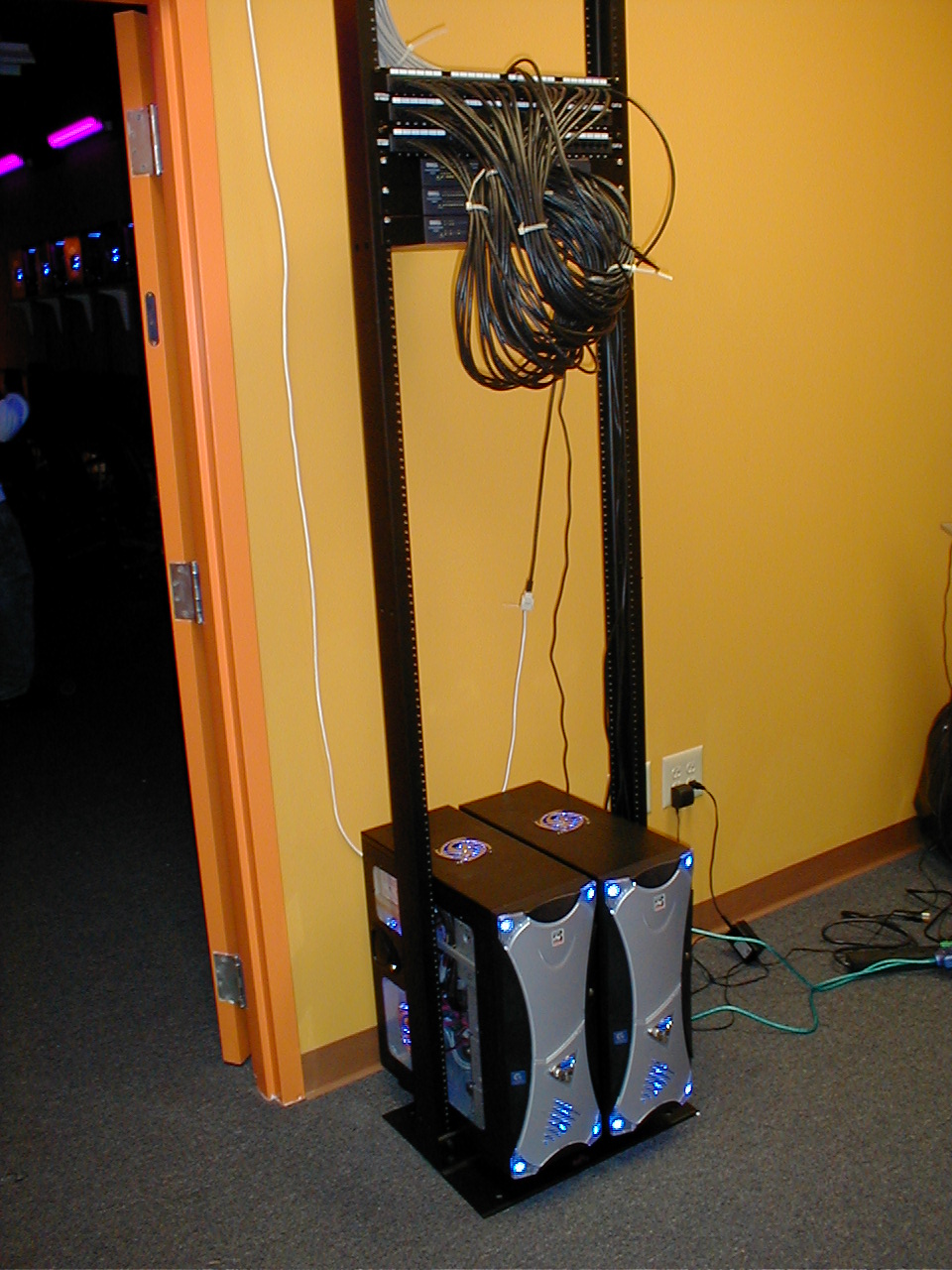
My very next tech job was working at a small medical publisher in the suburbs that needed their entire digital operations basically rebuilt from scratch. It was a boring rote rebuild of their code but I was also making the most money I had made in my entire life. And I was being valuable and working on things that people were actually using. The whiplash was crazy though.
On one side I was interacting with customers directly, building .NET infrastructure on a Windows XP stack with Windows 2000 servers. And then a few years later I'm working on PHP websites for a medical company.
Anyway why am I bringing this up? The point is I like to build. I don't care where the answer comes from. I never have. When I was digging through some random comment on a forum it didn't matter to me who it really came from and a lot of the time I had no idea why it even worked. It's not like I can claim a lot of this stuff as if I had done it all by myself. The point I'm trying to make is that it is impossible to do all the things. You stand on the shoulders of giants. We are only humans so what we can do in our lifetimes is entirely limited by the time we live in. This manifests itself in so many ways as you get older. You start realizing maybe work is less important or maybe more important. It just depends on what you value.
This is where I find great joy in AI. I can simply do more things. Before language models got good at coding I resolved myself to never making a 3D game or writing the task manager of my dreams. In fact I still had my passion projects. Divergence is one of them. An ORM I've been maintaining for over a decade now but like I said earlier you only have a limited amount of time on this Earth. There's only so much you can reasonably do with your time.
Now that I can cover far more ground in a shorter period of time using a computer is a newfound pure unadulterated joy for me. The dopamine hit of resolving annoying problems with my Gentoo setup in moments is a dream. Being able to quickly test ideas means I'm not stewing on them for months while I try to find the time to see if it's viable.
Since I started writing this post and now when I'm writing these words many things have happened. My initial reason for writing was to try to capture a modicum of what I and so many others in the industry are experiencing. For now I'll let my words rest. I'm sure I'll have other thoughts later. I'd simply like to suggest with kindness, humility, and a little bit of wisdom to find yourself in the center of building things even when you might not necessarily fully understand it.
Timing things in Bash
When building Continuous Integration YAML documents I regularly need to time how long something took.
To do this we can store the current amount of $SECONDS in a variable.
last=$SECONDSWe then define a bash function
sincelast() { duration=$(( SECONDS - last )); echo \'$1\' took $duration seconds; last=$SECONDS; }To use this you simply run:
sincelast "pecl install xdebug"and that will print
'pecl install xdebug' took 16 secondsHow I gamified unit testing my PHP framework and went from 0% unit test coverage to 93% in 30 days
In 2018 I was taking a break from work. I wanted to upgrade my skills while looking for new opportunities. My previous job was working in a NodeJS environment which I certainly enjoy in many ways but PHP is actually my favorite language to work with so I wanted to challenge myself to learn something new.
I had two goals really. The first was to learn. I wanted to see what continuous integration was actually all about. The second was to prove the rock solid design of the ORM library I've been using for the past five years. It was passed around by a few local developers I knew but using it in production on new projects became an increasingly hard battle as most people wanted to use other ORMs that were more popular. It felt like without unit tests and a code coverage badge and a page on packagist I had no legitimacy. With that in mind I got to work.
With this post I hope to write down what I learned in a clear, concise, and easy to understand way for moderately experienced PHP developers and for myself.
Code Coverage
Code coverage is a line by line yes/no report from PHPUnit that simply says if that line has been tested or if it has not. You can get a code coverage report on your own computer just by running PHPUnit with XDebug enabled. Just add the command line switch --coverage-clover clover.xml when you run PHPUnit.

Here you can see I'm telling phpunit where to put the code coverage report. You will need Xdebug as well for the feature to be available. A clover.xml file by itself though is just raw data and without a proper interface to view it you won't really be able to make much use of it.
View the Code Coverage Report
One website which provides this is Codecov.io
They give you a simple to use bash install script.
You can run it right now with the report you already generated right in the terminal.

You should probably sign up at this point and claim your free private repository. If your project is open-source you can have as many as you want!
Once signed up you will find the token in the repository settings. They give you a few ways to specify the token there.

Now you can run the report uploader script from above again.

Now that it uploaded you can take a look at the report.

As you can see my initial commit had terrible code coverage. The code was still not even organized as per PSR-4 and PHP League standards but at least I had base line and there's no where to go but up.
The PHP League
The PHP League of Extraordinary Packages make a slew of excellent packages but they also provide a skeleton template available in this Git repository that documents the proper modern way of organizing a PHP project. It was invaluable to me as a reference.
It shows you how to configure badges, continuous integration, organize your source code, and lots of other best practices.
Continuous Integration
Now that we know the code coverage report works we can setup continuous integration. I'd recommend TravisCI but if you have Bitbucket premium it comes with 500 free minutes of their continuous integration solution called Pipelines. Pipelines and TravisCI are basically just plugins for Github or Bitbucket or any other host of your Git repository. They get event hooks when your code gets pushed to your Git host and then they run a bash script in a container with your code. You can then run tests, do builds, and setup other automated solutions for your source code. But how you ask? Well there's a YAML file you have to create. In this example I will show my Travis file. The source is available here.
language: php
php:
  - '7.1'
  - '7.2'

addons:
  apt:
    sources:
      - mysql-5.7-trusty
    packages:
      - mysql-server
      - mysql-client

before_install:
  #- sudo mysql -e "use mysql; update user set authentication_string=PASSWORD('divergence_tests') where User='root'; update user set plugin='mysql_native_password';FLUSH PRIVILEGES;"
  #- sudo mysql_upgrade
  #- sudo service mysql restart
  - mysql -e 'CREATE DATABASE IF NOT EXISTS test;'

install:
    # Install composer packages
  - travis_retry composer update --no-interaction --no-suggest
  - travis_retry composer install --no-interaction --no-suggest
  # Install coveralls.phar
  - wget -c -nc --retry-connrefused --tries=0 https://github.com/php-coveralls/php-coveralls/releases/download/v2.0.0/php-coveralls.phar -O coveralls.phar
  - chmod +x coveralls.phar
  - php coveralls.phar --version

before_script:
    - mkdir -p build/logs
    - ls -al

script:
  - ./vendor/bin/phpunit --coverage-clover build/logs/clover.xml

after_success:
# Submit coverage report to Coveralls servers, see .coveralls.yml
 - travis_retry php coveralls.phar -v
# Submit coverage report to codecov.io
 - bash <(curl -s https://codecov.io/bash)

 # Tell Travis CI to monitor only 'master' branch
branches:
  only: master

# Specify where the cache is so you can delete it via the travis-ci web interface
cache:
  directories:
  - vendor
  - $HOME/.cache/composer
This file basically tells Travis what to do.
- Which versions of PHP to test with.
- Which branches of the git repo to run against.
- Sets up the localhost MySQL environment for our PHPUnit tests in the container.
- Runs composer dependency installer
- Runs PHPUnit
- Uploads the code coverage report.
The best part? You get an email at the end with what got fixed or any new problems. TravisCI also runs a rudimentary static analyzer on your code bringing up problems with the source as well as your PHPDoc notation which adds even more added value to having your unit tests run automatically every time you update a given branch.
In Github you even get this view available to you all in one place.

The Road to 90%
Initially you come to the realization that your ability to increase the score through your simple and basic helper classes lets you score a few easy wins early on. Ripping out old, unused, verbose, and unclean code also lowers your total code count thereby increasing your overall coverage score. Sometimes you actually have to edit your code to make it easier to test. Standalone global code in PHP files becomes even more onerous as testing that code becomes next to impossible. Let's take a look at a few examples.
Editing your code to make it easier to test.
Here I need to fake the stream php://input which is what we parse for raw JSON data sent via POST. Doable but only by creating your own fake stream and at a different address.

But it's okay because it enabled this simple test. Which increased the coverage of that one file by 13.33%. By the way virtual streams are pretty awesome. Check out the test below.
    /**
     * @covers Divergence\Helpers\JSON::getRequestData
     */
    public function testGetRequestData()
    {
        $json = '{"array":[1,2,3],"boolean":true,"null":null,"number":123,"object":{"a":"b","c":"d","e":"f"},"string":"Hello World"}';
        vfsStream::setup('input', null, ['data' => $json]);
        JSON::$inputStream = 'vfs://input/data';

        $x = json_decode($json,true);
        $A = JSON::getRequestData();
        $B = JSON::getRequestData('object');

        $this->assertEquals($A, $x);
        $this->assertEquals($B, $x['object']);
    }
Ripping Out Old Code
Here I found a function that was previously used to manually prettify JSON used way back when PHP didn't have this functionality built in. Sometimes it's sad to delete old code. Especially when it's will written, clean, and easy to understand. But sometimes it's just time to let it go and let someone else worry about it.

Lets just say I cut a lot of random old code. This obviously had a great impact on the readability and cleanliness of the code going forward.
What I did for Database Unit Testing
Eventually I ran out of low hanging fruit testing things that had nothing to do with the database and then... it was time for the database. A number of issues came up.
- A test database would need to be created on my laptop that mirrors the TravisCI config to avoid having to write extra logic. I added a new 'testing' default config to the default database config that comes with the framework.
- I needed to add some bash terminal commands to the TravisCI file above to make it reset the database every time.
- I need a way to run some code the unit tests need to run before all the unit tests would begin to setup a bunch of fake data.
To solve this I created a class which implements PHPUnit's PHPUnit_TestListener interface. I previously wrote a post on doing this in detail.


So here we initialize our mock application and set the database connection to use the tests-mysql config.
App::setUp is actually where the mock data is created.
Fake it till you make test it
To make this database testing thing actually work I actually made a fake site that would live in the PHPUnit environment. I gave it a separate namespace in the tests namespace.

The App class from earlier? You can view it here.

As I wrote more unit tests I added more and more Tag creation stuff to this function. As I created more and more mock data attacking the more and more complex situations in my tests became easier and easier.
Lowering Code Complexity
As you get further and further into testing your code you will come to some code which has lots of complex conditional statements with multiple conditions which might potentially have any n-number of possible combinations. By breaking out your code into ever smaller and smaller methods it is possible to make every method have a very low number of combinations hopefully in the single digits.
For example the increased conditional complexity of the code below make it difficult to get tests which achieve 100% unit test coverage because you need to provide every possible permutation of conditionals and if there are more obviously there could be more conditions.

I changed the above to be a switch($options['type']) instead and broke out each type into it's own function. The new functions become much easier to test with fewer conditional permutations to keep track of.


Writing tests for these much simpler functions becomes almost trivial and the code looks much cleaner too.